Resource planning, Gantt roadmaps and timesheet follow-up
inside Jira.
Cloud Scheduler helps teams plan capacity, schedule Jira work, visualize calendars and roadmap timelines, and compare planned effort with logged work.
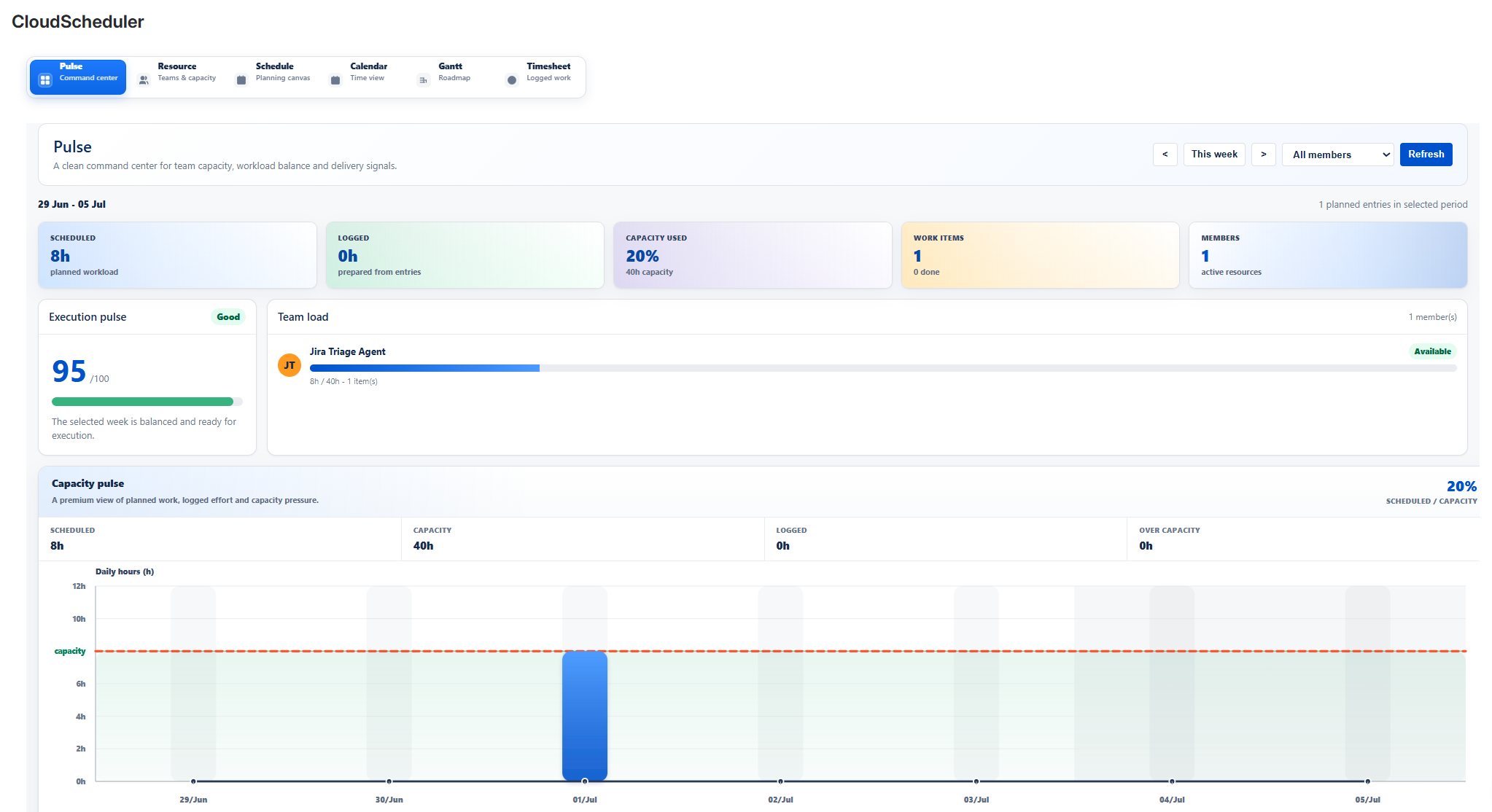
Plan from portfolio overview to logged time follow-up.
Cloud Scheduler presents each planning capability as a dedicated area with documentation, support and trust pages ready for Marketplace review.
Pulse
Pulse gives delivery teams, PMOs and project managers a dashboard view of planning health, capacity usage, scheduled effort, logged work and workload risks.
Open details →Resource
Resource is where planning capacity is prepared. Teams can organize Jira users, Jira groups, generic resources and Cloud Scheduler groups before assigning work.
Open details →Schedule
Schedule is the operational planning board where planned tasks are created, assigned to resources and linked to Jira issues or Jira work items.
Open details →Calendar
Calendar displays scheduled work, availability events, holidays and absence information in a monthly planning view that stakeholders can understand quickly.
Open details →Gantt
Gantt turns planned work into a roadmap-style timeline for delivery planning, project reviews, portfolio alignment and activity duration visibility.
Open details →Timesheet
Timesheet compares planned effort with Jira logged work so teams can understand execution gaps and improve future planning accuracy.
Open details →Recommended planning flow
Start with resource structure, create planned work linked to Jira issues, then review visibility and execution indicators.