Pulse
Pulse
Dashboard and reporting.
Pulse gives delivery teams, PMOs and project managers a dashboard view of planning health, capacity usage, scheduled effort, logged work and workload risks.
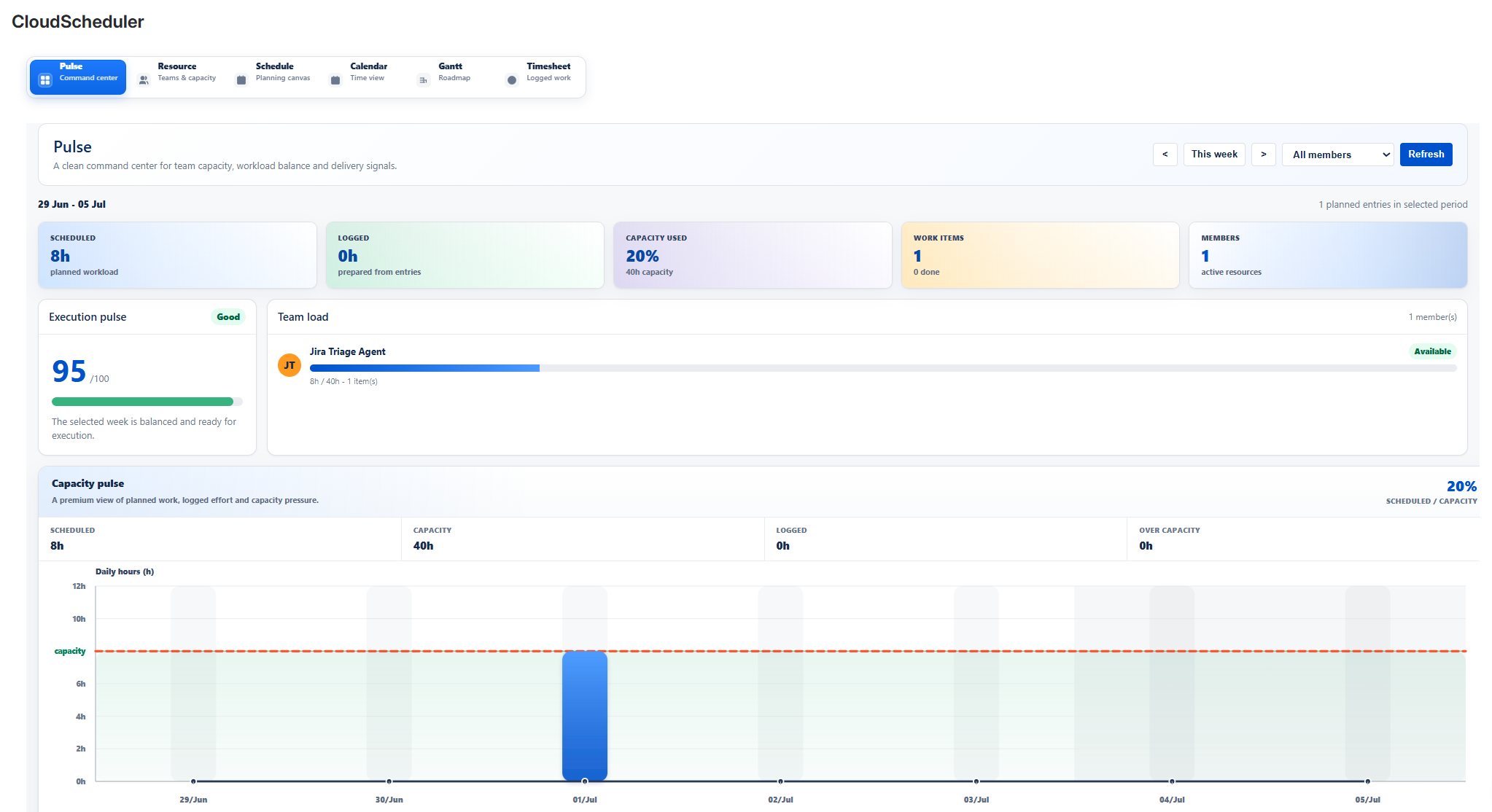
PulseAdd screenshot: assets/01-pulse.png
What teams can do
- Review capacity, workload and planned effort indicators before planning meetings.
- Identify overloaded periods, under-used capacity and delivery risk signals.
- Use planning health indicators for weekly delivery and PMO reporting.
Typical workflow
- Open Pulse from the Cloud Scheduler navigation.
- Review the relevant planning information in the Jira project context.
- Adjust related planning information in Resource, Schedule, Calendar, Gantt, Timesheet or Pulse.